
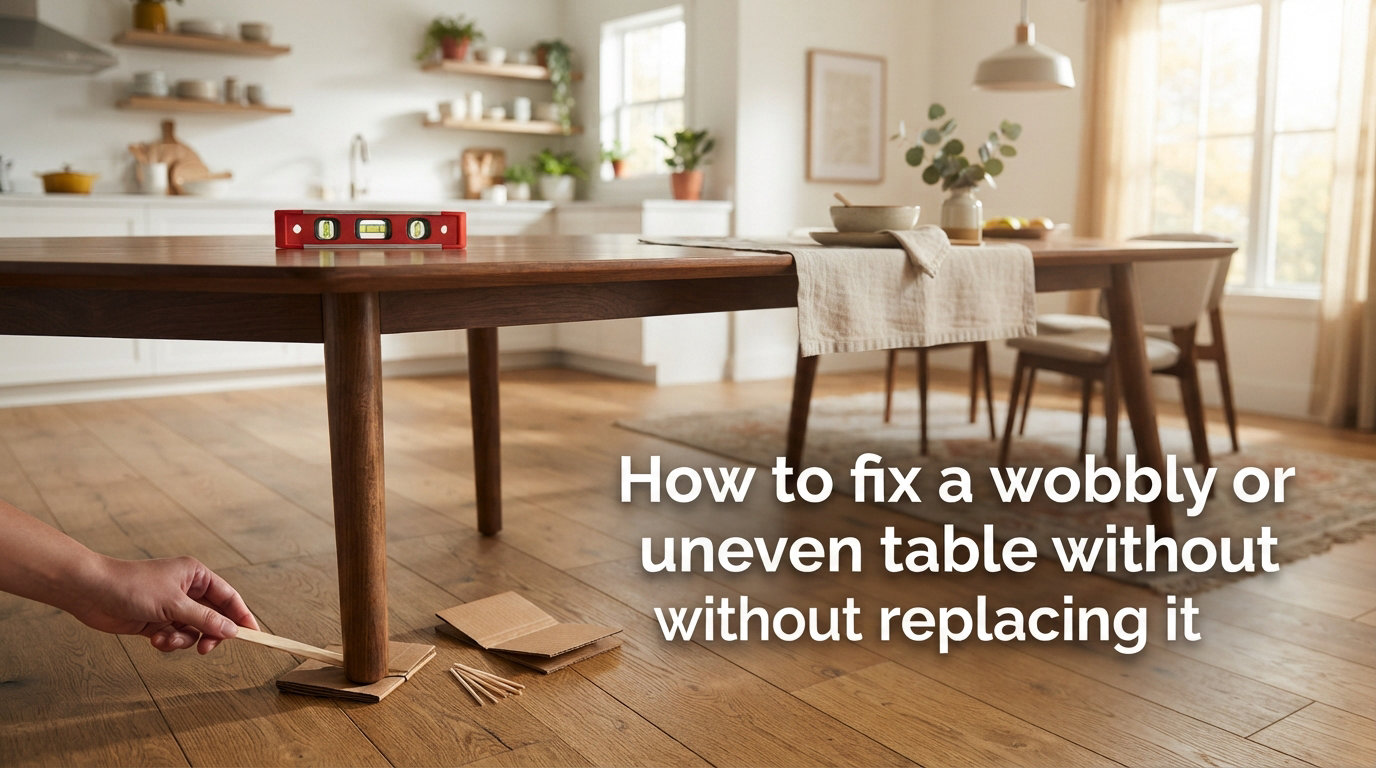
A wobbly table has two causes: uneven legs or an uneven floor. Once you figure out which one you are dealing with, the fix is usually simple, costs under $10, and takes less than an hour.
I have fixed dozens of tables over the years — wobbly dining tables, shaky desks, a stubborn coffee table, and even a metal workbench that rocked every time I leaned on it. Almost every wobble can be solved without buying new furniture, even if the problem has been driving you crazy for months.
This guide walks through exactly how to fix a wobbly or uneven table without replacing it. We will cover how to diagnose the root cause, five quick fixes you can do in five minutes, permanent solutions that last for years, and the specific differences between wood and metal tables. By the end, you will know exactly which fix matches your situation.
The most important thing I have learned from repairing furniture? Most people assume the table is broken when it is really just the floor. You would be surprised how often a simple diagnostic test saves a perfectly good piece of furniture from the curb.
Table of Contents
Why Your Table Wobbles: Understanding the Root Causes
Most table wobbles come from one of four sources — loose joints, uneven legs, warped wood, or an uneven floor. Identifying the specific cause determines which fix will actually work.
Loose joints are the most common culprit. Screws back out over time from regular use, vibration, and temperature changes. Mortise and tenon joints on older wooden tables loosen as the wood shrinks and expands with humidity. If your table rocks or shifts when you press on a corner, the joinery is probably the problem.
Uneven legs happen when one leg is slightly shorter than the other three. This can come from manufacturing tolerances, but more often it develops when a leg loosens and sags over months of use. The difference is often less than a quarter inch, but that is enough to make the whole table rock.
Warped wood causes wobble on older tables or pieces stored in damp environments. A tabletop that has warped will sit unevenly even if all four legs are identical. You can spot this by placing a straight edge across the table surface and looking for gaps.
An uneven floor is sneaky because the table is perfectly fine. Tile grout lines, sloped concrete, warped floorboards, and even thick rug pads can create a high spot under one leg. Before you start taking the table apart, always check the floor first.
How to Diagnose: Is It the Floor or the Legs?
The fastest way to tell is the paper test combined with rotating the table 90 degrees. This two-minute diagnostic tells you whether the problem is fixable on the table or underneath it.
Step 1: Do the paper test. Slide a sheet of standard printer paper under each leg, one at a time. The leg that lets the paper slide underneath freely is your short leg. If the paper fits under more than one leg, your floor may be the issue rather than the table.
Step 2: Rotate the table. Pick up the table and rotate it 90 degrees, then set it back down in the same spot. If the wobble moves to a different leg or disappears entirely, your floor is uneven — not your table. This is the wobbly table theorem in action: by rotating a four-legged table, you can often find a position where all four legs contact the floor.
Step 3: Check the direction of the wobble. If the table rocks corner to corner (diagonally), you have a leg length issue. If it shifts side to side laterally, you are dealing with loose joints or a lack of cross-bracing. These need completely different fixes.
Step 4: Move the table to a flat surface. If you have access to a known-flat area like a concrete garage floor or a level tile floor, set the table there. If the wobble disappears, the problem is your floor. If it persists, the problem is the table.
I cannot stress this enough — I have seen people disassemble table legs, buy replacement hardware, and even attempt to shorten legs, all because they never checked whether the floor was the actual problem. Spend two minutes on diagnosis before touching a single tool.
How to Fix a Wobbly or Uneven Table Without Replacing It: Quick Fixes
Quick fixes include rotating the table, adding shims, using felt pads, and applying hot glue — all taking under five minutes and costing almost nothing. These are perfect when you need the wobble gone right now or when you are renting and cannot modify the furniture.
Rotate to Find the Sweet Spot
Before reaching for any tools, try rotating the table a few inches at a time in its current position. The wobbly table theorem proves that any four-legged table on a slightly uneven surface has at least one stable position. I have had dining tables stop rocking completely just from a 15-degree turn.
This works because rotating changes which leg sits over the high spot on your floor. Mark the stable position with a piece of tape on the floor so you can find it again after cleaning.
Shim the Short Leg
Shimming is the quickest and most versatile fix for an uneven leg. Slide a thin shim under the short leg until the wobble stops. You can use purpose-made cedar shims, but everyday household items work just as well for a temporary patch.
Good shim materials I have used over the years:
— Felt furniture pads come in varying thicknesses and stick to the leg bottom. They are inconspicuous and work on hard floors.
— Cork coasters or wine corks sliced thin compress slightly under weight, creating a snug fit that stays put.
— Cardboard or folded paper works in an absolute emergency, but it compresses and will not last more than a few days.
— Plastic door shims from the hardware store are tapered, so you can slide them in until the thickness is perfect, then trim the excess flush.
For a slightly more permanent version of this fix, trace the shim to size, cut it precisely, and glue it to the bottom of the leg with wood glue or construction adhesive. This keeps it from shifting when the table gets bumped.
Use a Felt or Rubber Bumper
Adhesive felt bumpers, the kind meant for cabinet doors, come in thicknesses from 1mm to 5mm. Stick one or two to the bottom of the short leg to build up the gap. Rubber bumpers grip the floor better than felt and are ideal for tables on smooth surfaces like tile or laminate.
The Hot Glue Trick
For tables on hard floors, a dab of hot glue on the bottom of the short leg can fill a tiny gap. Let it cool completely before setting the table down. The glue conforms to the floor surface and grips well. This is not a permanent fix, but it lasts weeks and costs nothing if you already own a glue gun.
Adjust Threaded Leveler Feet (If Equipped)
Some tables, especially kitchen islands and metal-frame tables, come with threaded leveling feet. If yours does, simply twist the foot on the short leg counterclockwise to extend it until the table stops rocking. This takes 30 seconds and is the cleanest fix of all — no tools required.
Permanent Solutions That Stop Wobble for Good
For a lasting fix, tighten hardware, repair stripped holes, reglue loose joints, install adjustable leveling feet, or add corner brackets. Each method targets a specific cause, so match the solution to your diagnosis from earlier.
Tighten Loose Screws and Hardware
Loose fasteners are the leading cause of wobble in both wood and metal tables. Grab a screwdriver or Allen wrench and check every joint where a leg meets the frame or apron. Tighten each fastener until snug — but do not overtighten, or you risk stripping the hole.
If a screw turns but never tightens, the hole is stripped. Jump down to the next section for that fix. For bolts with nuts, hold the nut with pliers while turning the bolt to get a secure lock.
For tables with cam-lock hardware (common in flat-pack furniture), check that each cam lock is turned fully clockwise. A half-turned cam lock allows the leg to shift even though everything looks assembled correctly.
Repair Stripped Screw Holes
A stripped screw hole will never hold a screw tightly, no matter how many times you tighten it. The classic fix is the toothpick or matchstick trick, and it works on almost any wooden table.
Coat several wooden toothpicks or matchsticks (with the heads snapped off) in wood glue. Pack them tightly into the stripped hole, filling it completely. Let the glue dry for at least an hour — overnight is better. Trim the excess flush with a utility knife, then drive the original screw back in.
The packed wood gives the screw fresh material to bite into. I have used this fix on dining tables, chairs, and desks, and it holds for years. For larger holes, use hardwood dowel pieces instead of toothpicks.
Reglue Loose Wood Joints
If your table has mortise and tenon joints (common on traditional wooden dining tables and older pieces), the joints loosen over decades as the wood dries out and shrinks. The joint looks fine from the outside, but there is a gap inside that allows movement.
To fix this properly, you need to disassemble the joint, clean out the old glue, apply fresh wood glue (I recommend Titebond III for its strength and water resistance), clamp the joint tight, and let it cure for 24 hours. This is more work than the other fixes, but it restores the joint to like-new strength.
If you cannot fully disassemble the joint, you can sometimes inject thin cyanoacrylate glue or liquid hide glue into the gap with a syringe. It is less ideal than a full reglue, but it adds enough bond to reduce the wobble significantly.
For tables where joints are nailed rather than glued, add screws at an angle through the joint. Predrill pilot holes first to prevent the wood from splitting.
Install Adjustable Leveling Feet
Adjustable leveling feet are the best permanent solution for tables on uneven floors. These are threaded inserts with a swiveling pad on the bottom. You drill a hole in the bottom of each leg, install a T-nut or threaded insert, and screw in the leveling bolt.
Once installed, you can fine-tune each leg’s height by turning the bolt. The swivel pad automatically angles to match the floor, so even sloped or uneven surfaces are not a problem. This is the solution I recommend most often for tables on tile, concrete, or outdoor patios.
Installation takes about 30 minutes for a four-legged table. You need a drill, a drill bit matching the insert size, and the leveling hardware. A set of four threaded levelers costs roughly $8 to $15 at any hardware store.
For metal table legs, some already have threaded holes for levelers. Check whether your legs accept standard thread sizes before buying hardware.
Add L-Shaped Corner Brackets for Lateral Wobble
If your table wobbles side to side rather than rocking up and down, the issue is lateral movement. The frame lacks rigidity, usually because the apron or cross-bracing is missing or loose. L-shaped corner brackets solve this by creating a rigid triangle at each joint.
Screw one side of the bracket into the leg and the other side into the underside of the tabletop or apron. Use short screws that will not poke through the table surface. Two brackets per corner, installed on adjacent faces, create a rock-solid connection.
This is the go-to fix for desks that shake when you type, gaming tables that wobble from monitor weight, and lightweight tables that flex under load. Forum users on r/DIY consistently recommend this approach for lateral stability — it is cheap, fast, and dramatically stiffens the frame.
Fixing Wobbly Metal Table Legs
Metal tables need different approaches than wood — threaded levelers, shims under the leg caps, and frame hardware tightening are your primary tools. You generally cannot use wood glue or the toothpick trick on metal.
Start by tightening every bolt where the legs meet the frame. Metal frames transmit vibration, so even one loose bolt makes the entire structure rattle. Use an Allen wrench or socket set and check every connection point.
If the metal leg itself is bent, you may be able to carefully bend it back using a pipe wrench with a cloth pad to protect the finish. For powder-coated or painted legs, apply heat with a hair dryer before bending to reduce the risk of the finish cracking.
For metal tables on uneven floors, threaded leveling feet are your best option. Many metal legs come with threaded holes already — you just buy the compatible leveler bolts and screw them in. If the legs do not have threaded holes, you can drill and tap them, or use a leveling shim adhesive pad designed for metal surfaces.
Welded metal joints that have cracked require professional welding to repair properly. If you spot a hairline crack at a weld point, that is the source of your wobble, and no amount of shimming will fix it permanently.
Stopping Desk Wobble from Typing and Gaming
Desk wobble from keyboard use or gaming monitors usually comes from lateral movement, which you fix with cross-bracing, corner brackets, or a stabilizer bar. This is a specific type of wobble that the standard leg-leveling fixes will not address.
PC gamers on forums like r/desksetup and r/pcmasterrace frequently complain about desk shake caused by heavy monitors on arms and forceful typing. The desk looks level, but it sways side to side with every keystroke. The root cause is almost always a lack of triangulation in the frame.
The most effective fix is adding a cross-brace or stabilizer bar underneath the desk, connecting the front legs to the back legs. This creates a rigid rectangle that resists lateral movement. You can use a length of 1×3 lumber, a metal strut channel, or buy a purpose-made desk stabilizer bar online.
L-shaped corner brackets at each leg-to-desktop joint also help significantly. If your desk uses a particleboard top, add metal corner plates where the legs attach to spread the load and prevent the screws from wallowing out the holes over time.
Finally, check your monitor arm. A heavy monitor on a fully extended arm acts like a pendulum, amplifying every tiny movement. Moving the monitor closer to the desk surface or switching to a monitor stand that sits on the desk can reduce wobble dramatically without any structural changes.
When to Repair vs Replace Your Table?
Repair if the frame is solid and the wobble is isolated to one leg, one joint, or an uneven floor. Replace if multiple joints are loose, the wood is warped, or the structural integrity is compromised.
Here is the decision framework I use:
Repair when: Only one leg or joint is the problem. The tabletop is flat and undamaged. The frame material (wood or metal) is structurally sound with no cracks or rot. The fix costs under $25 and takes less than two hours.
Replace when: Three or more joints are loose simultaneously. The tabletop has warped more than a quarter inch. The wood shows signs of rot, water damage, or insect damage. The frame has cracked welds or split wood at stress points. The cost of hardware and glue approaches the cost of a new table.
For sentimental or expensive pieces, repair almost always makes sense. A quality solid wood dining table can last generations with periodic regluing and hardware replacement. For inexpensive flat-pack furniture that has loosened at every joint, replacement is often more practical than trying to re-engineer the connections.
If you are unsure, start with the cheapest fix — the paper test and a shim. If that solves the problem, you just saved yourself a furniture shopping trip. If it does not, work your way up the ladder of fixes outlined above before considering replacement.
FAQs
How to even out a wobbly table?
Start by sliding a sheet of paper under each leg to find the short one. Then shim the gap with a felt pad, cork, or a furniture leveling glide. For a permanent fix, install threaded adjustable feet or tighten loose hardware.
How do you stabilize a shaky table?
Tighten every screw and bolt where the legs meet the frame. If the table shifts side to side, add L-shaped corner brackets at each leg joint to create lateral rigidity. For shaky desks, install a cross-brace underneath connecting the front and back legs.
Why is my table lopsided?
A lopsided table is caused by either uneven leg lengths or an uneven floor. Test by rotating the table 90 degrees — if the wobble moves to a different leg, the floor is the problem. If the same leg stays short, the leg or its joint needs repair.
How can I fix my wooden furniture that is loose and wiggly?
Tighten all screws first. If a screw will not hold, fill the stripped hole with glue-coated toothpicks, let it dry, and reinsert the screw. For loose mortise and tenon joints, disassemble, clean out old glue, apply fresh wood glue, clamp, and let cure for 24 hours.
How do you fix uneven table legs?
The best permanent fix is installing adjustable leveling feet. Drill a hole in the bottom of each leg, insert a T-nut, and thread in a leveling bolt. You can then fine-tune each leg height individually. For a quick fix, shim the short leg with felt pads or a tapered wood shim.
Is a wobbly table dangerous?
A wobbly table can spill hot food and drinks, damage items placed on it, and worsen over time as loose joints degrade further. It is not immediately dangerous, but ignoring it can lead to joint failure that makes the table unusable or causes it to collapse under weight.
Conclusion
Fixing a wobbly table is almost always worth trying before you consider replacement. The vast majority of wobbles come from one of four causes — loose joints, uneven legs, warped wood, or an uneven floor — and each has a straightforward fix that costs less than a dinner out.
Start with the paper test to diagnose whether the problem is your table or your floor. Then work from the simplest fix upward: rotate the table, shim the short leg, tighten the hardware, repair stripped holes, reglue joints, or install adjustable leveling feet. For lateral wobble, add corner brackets or a cross-brace.
Learning how to fix a wobbly or uneven table without replacing it saves money, keeps good furniture out of landfills, and builds confidence for bigger DIY projects. Grab a sheet of paper, check those legs, and you will likely have a stable table before your next meal.