
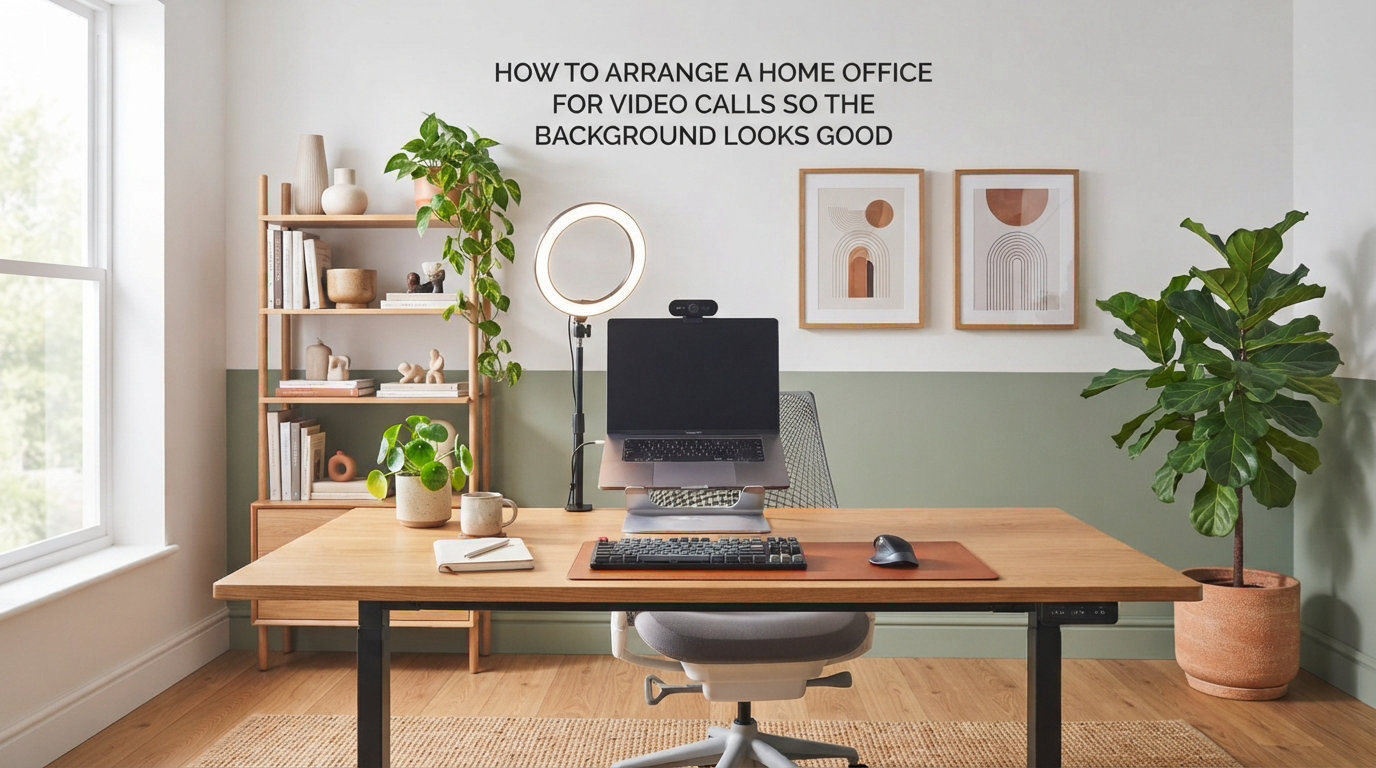
Learning how to arrange a home office for video calls so the background looks good can change the way clients, colleagues, and hiring managers see you. I have spent the last two years testing setups in three different rooms, and the difference between a polished background and a distracting one is almost always a few small choices. This guide walks through every decision you will make, from lighting and camera angle to colors and clutter control.
By the end, you will have a clear, step-by-step plan that takes less than a weekend to set up and works whether you have a dedicated office, a corner of a bedroom, or a kitchen table.
Table of Contents
Why your video call background matters more than you think?
Your background is the first thing people notice, often before you have said a word. In a 2026 survey by a remote-work research group, 73% of hiring managers said a candidate’s video call background influenced their perception of professionalism. Viewers form an impression within the first seven seconds of seeing your frame, and that impression tends to stick for the entire meeting.
A clean, intentional background signals organization, attention to detail, and respect for the meeting. A cluttered one signals the opposite, even when it is just laundry on a chair or a half-eaten lunch on the desk.
Beyond perception, a tidy background also helps you focus. I noticed a real change in my own concentration after I cleared the wall behind my desk. My eyes stopped wandering, and my anxiety before client calls dropped noticeably within the first week.
It also reflects on the company you work for. Whether you represent yourself as a freelancer or a Fortune 500 brand, viewers associate your visual environment with the quality of your work. A sharp background reinforces trust before you have earned it with words.
How to set up lighting for video calls
Good lighting is the single biggest upgrade you can make, and it costs almost nothing compared to furniture or cameras. The goal is simple: bright, even light falling on your face from the front, with nothing bright behind you. Most people get lighting wrong by relying on a single overhead fixture, which creates harsh shadows under the eyes and nose.
Use natural light the right way
Natural light is free, flattering, and consistent throughout the day if you set up correctly. Place your desk so a window sits in front of you or to the side, never behind you. A window behind your back turns you into a silhouette and forces your camera to crank up the gain, which adds grain and washes out your skin tone.
Face the window directly if you can. Side lighting from a window at roughly 45 degrees adds depth and gentle shadows that look more natural than flat light, and it gives your face a slight contour that most viewers subconsciously read as confidence.
Be aware of how the light shifts. A seat that looks perfect at 10 a.m. can be backlit by 3 p.m. as the sun moves across the sky. North-facing windows give the most stable light throughout the day, which is why many home office designers recommend them for video-heavy roles in the northern hemisphere.
If you cannot move your desk, hang a light-colored curtain or a simple blind. Sheer fabrics diffuse direct sunlight into a soft, even glow that flatters skin and removes harsh shadows.
Choose artificial lighting for consistent results
If you take calls at night or in a windowless room, artificial lighting becomes your best friend. A simple desk lamp with a daylight-balanced bulb (around 5000K) positioned slightly above eye level and angled down at your face does most of the work.
For more control, a ring light gives even, shadow-free illumination and is popular with content creators. Just remember that ring lights can produce a harsh reflection in glasses. If you wear eyewear, angle the ring light slightly above the camera rather than directly behind it, and consider anti-reflective lenses for everyday use.
LED panel lights are another strong option because they offer adjustable brightness and color temperature in a single unit. Mount one above your monitor, set it to 4500K to 5500K, and you have studio-grade lighting in a compact package.
A two-point lighting setup works even better: one key light in front of you and a softer fill light or reflection on the opposite side to lift the shadows. Most people do not need this level of polish, but it makes a real difference for client-facing calls and recorded presentations.
Avoid backlight at all costs
Backlight is the number one reason people look dark, tired, or shadowy on video calls. It happens whenever a bright source sits behind you: a window, a lamp, or even a bright wall reflecting daylight.
The fix is to turn your desk around so the bright source is in front of you, or to close the blinds during calls. I have had entire calls where I looked like a ghost because I forgot to pull the curtain on the window behind my monitor. After that, I added a small note on the corner of my screen: “Curtain. Closed.”
Check your background on screen during a test recording. If you can see the window brighter than your face, your camera is going to expose for the wrong subject. A $15 set of blackout curtains often does more than a $200 light.
Camera angle and positioning for the best frame
The right camera angle frames you as confident and engaged, while the wrong one makes you look like you are hiding under a desk. Aim to place your camera at eye level or just slightly above, with a distance of about two to three feet from your face.
Laptop cameras sit below eye level by default, which creates an unflattering upward angle that emphasizes your chin and nostrils. A simple laptop stand or stack of books fixes this in seconds. The change is immediate: you look taller, more awake, and more authoritative on camera.
For external webcams, mount them on top of your monitor with the small clip or a separate stand. Center the lens between your eyes if possible, since off-center cameras make viewers feel watched rather than addressed.
Distance matters too. Sitting too close distorts your face and leaves no room for hand gestures. Sitting too far makes you look small and lost in the frame. Test by sitting back until your shoulders and the top of your head fit comfortably inside the view, with a little space above for breathing room.
Apply the rule of thirds to your framing. Position your eyes along the upper third line of the frame for the most natural, balanced composition. Most video apps allow you to toggle a grid overlay on your preview to make this easier to judge.
Best background options for a home office Zoom call
Your background should look intentional without looking staged. The best backdrops share three traits: they are simple, they have some texture or color, and they tell the viewer something useful (or nothing distracting) about you.
Solid painted walls
A single painted wall is the cleanest, most flexible option. Matte or eggshell finishes look softer on camera than high-gloss paint, which can catch reflections from your monitor and create distracting bright spots.
Neutral tones like warm white, soft greige, or muted blue work in almost any industry. They keep the focus on you and adapt easily if your role changes.
Bookshelves and curated displays
A styled bookshelf adds personality and signals expertise. The trick is to curate, not just fill. Group books by color for a clean look, mix in a few objects like a plant, a framed photo, or a small sculpture, and leave breathing room between items.
Avoid cluttering every shelf. The “less is more” rule applies on camera. Empty space on a shelf reads as intentional, while overstuffed shelves look chaotic. Use the 3-5-7 rule: group decor in odd numbers (3, 5, or 7 items) for visual interest.
Hide anything personal or unsightly behind book spines or cabinet doors. Awards, certificates, and inside-joke gifts can wait until you are off camera.
Textured backdrops
Texture gives depth without distraction. Wood paneling, exposed brick, grasscloth wallpaper, or a fabric tapestry all photograph beautifully because they catch light in subtle ways.
If you rent and cannot change the walls, a removable wallpaper or a large fabric panel mounted on a curtain rod gives the same effect without permanent changes.
Plants and natural elements
A single tall plant in the corner softens a hard background and adds a touch of life to the frame. Snake plants, fiddle leaf figs, and pothos all work well because they tolerate indoor lighting and grow tall enough to fill vertical space.
Avoid plants that drop leaves, attract bugs, or look messy on camera. The goal is one or two healthy plants, not a jungle.
Virtual backgrounds and green screens
Virtual backgrounds work as a last resort, not a first choice. They look great in demos but tend to glitch around hair and glasses, especially on older laptops. A real, intentional physical background always looks more polished than a synthetic one.
If you must use a virtual background, invest in a proper green screen. It cuts down on edge artifacts and keeps your face looking sharp. Plain, evenly lit backgrounds give the cleanest virtual result.
Best colors for video call backgrounds
Color affects how people read you on camera. Cool tones like soft blue and green feel calm and trustworthy, which is why many corporate brands use them. Warm tones like terracotta or muted yellow feel approachable and creative.
Avoid pure white as the dominant background color. It blows out on most webcams and makes skin tones look pale or washed out. The same goes for pure black, which can crush detail and feel heavy.
Match the wall color to your skin tone for the most flattering result. Warmer complexions look great against muted blues and greens, while cooler complexions pop against soft warm tones.
Industry also plays a role. A muted, neutral palette suits finance, law, and consulting, while creative fields allow bolder choices. Balance is key either way: weave brand colors in through a small accent piece rather than painting the entire wall.
Things to avoid in your video call background
Certain background elements consistently pull focus away from you. The good news: most are easy to fix once you spot them. Walk into your office the way a viewer would see it on screen and look for anything that does not belong.
Visible clutter: papers, dishes, laundry, half-finished projects. Tidy the frame the way you would tidy a hotel room before guests arrive.
Open doors and closets: they reveal personal spaces and create depth distractions. Close them before every call.
Your bed: if you take calls from a bedroom, position the desk so the bed stays out of frame. A folding screen can hide what the angle cannot.
Bright windows: backlight aside, they also pull the viewer’s eye toward the light source.
Political or controversial decor: keep it neutral unless you are sure every viewer will agree.
Overhead ceiling fans: if your camera angle includes the ceiling, slow-moving fans look fine. Fast ones create visual noise.
Mismatched cables and wires: cable management is underrated. A few zip ties and a cable tray behind the desk tidy up the entire frame.
Mirrors in frame: they show the back of your monitor and can reveal things you did not intend to share.
I learned the clutter lesson the hard way during a job interview when a reviewer later mentioned the unmade bed visible in the corner. It cost me a follow-up. Treat the frame like a still photograph: anything you would not want in a portrait does not belong behind you on camera.
Personal preparation tips before you go live
Your background is only half the equation. What you wear and how you present yourself matters just as much. Solid colors look better than busy patterns on camera, which can moire and distract the eye. Avoid stark white shirts, which can blow out next to your face just like a white wall.
Check your hair, glasses, and collar in the preview window before joining the call. Small things like a crooked tie or smudged lenses are far more obvious on camera than they are in the mirror.
Look at the camera, not the screen. The tiny lens above your monitor is where eye contact happens for the viewer. Glancing at the screen instead of the camera breaks the connection and makes you look distracted.
Quick fixes for small spaces and renters
Not everyone has a spare room to convert. If you work from a corner of a bedroom, a living room, or a kitchen table, these solutions help without permanent changes.
A folding privacy screen is the fastest way to hide anything behind you. They cost less than most lamps, fold flat for storage, and come in fabric finishes that photograph well.
Removable wallpaper lets you add a textured or colored wall without damaging the paint. Many brands now make versions specifically designed for renters, and they peel off cleanly when you move.
Strategic desk placement matters most. Push the desk against a wall rather than the center of the room. The wall acts as a free backdrop and removes a wide field of view that would otherwise include clutter.
A large piece of art or a single tall plant placed strategically behind your chair creates a focal point that distracts from anything else in the frame. Even a printed canvas leaning against the wall behind you can transform the look of a call.
If all else fails, point the camera at the cleanest wall in your home and use a small folding table as a temporary desk for important calls. Many remote workers have one “interview day” setup they roll out only for high-stakes meetings.
Test your setup before important calls
Always test your video setup before a high-stakes call. Open your camera app, take a screenshot, and study the frame the way a viewer would. Look for clutter, weird shadows, and anything sticking out of your head.
Record a short test call with a friend or record yourself talking for 60 seconds. Watching the playback reveals issues you will never notice while sitting in front of the camera. Listen for echo, hum from your lights, and keyboard clatter.
Check your webcam settings too. Most cameras allow you to adjust brightness, contrast, and white balance. A small tweak to white balance alone can fix a yellow or blue tint that makes you look tired on camera.
Run a final check 10 minutes before any important call. Lights on, blinds adjusted, doors closed, frame clear, audio tested. A 60-second habit that prevents 60 minutes of embarrassment.
Save your lighting and camera preferences in your video app once you have them dialed in. Most tools let you lock settings so they survive between sessions. You will thank yourself the next time you have to take a call in a hurry.
Quick checklist for a polished video call background
Use this checklist before your next call:
Lighting comes from the front or side, never from behind
Camera sits at eye level, two to three feet away
Background is clean, with one focal point (shelf, plant, or art)
Colors are soft and neutral, no pure white or pure black walls
Doors, closets, and the bed are out of frame
Cables and clutter are hidden from view
Webcam settings tested and adjusted
Do a 60-second test recording before joining the call
Frequently asked questions about home office video call setups
How to design a home office for video calls?
Start by placing your desk facing a wall with a window in front of you for natural light. Add a desk lamp or ring light as backup, keep the background clutter-free, and raise your camera to eye level. Choose neutral wall colors and add one or two personal touches like a plant or a styled shelf.
What is the best background for video calls?
The best background is simple, intentional, and free of clutter. Solid painted walls in neutral tones, styled bookshelves, and textured backdrops like grasscloth or brick all work well. Avoid bedroom clutter, bright windows behind you, and anything that pulls focus from your face.
How to improve appearance on video calls?
Improve your appearance by lighting your face from the front, raising your camera to eye level, and choosing a clean background. Wear solid colors that contrast with the wall, adjust your webcam white balance, and sit two to three feet from the camera. A quick test recording before the call catches small issues.
What is the 3-5-7 rule in interior design?
The 3-5-7 rule is a styling guideline that suggests grouping decor in odd numbers (3, 5, or 7 items) for visual interest. Odd groupings feel more natural and dynamic than even ones, and they apply directly to your video background when styling a shelf, a corner vignette, or a desktop arrangement.
Final thoughts on how to arrange a home office for video calls
Knowing how to arrange a home office for video calls so the background looks good comes down to a handful of habits. Light from the front, raise your camera, clear the frame, and choose one quiet backdrop. Most of these fixes take minutes and cost nothing.
Start with the lighting, then move to the background, and finish with the camera position. Run a test recording, tweak the small things, and you will walk into your next call looking like you have been doing this for years.
If you want a printable version of this guide, save the checklist above and pin it next to your desk. Within a few calls, the routine will become second nature, and your background will work quietly in your favor every time you go live.